

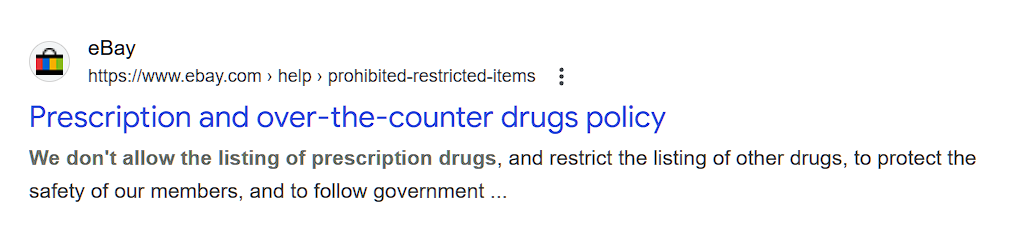
eBay has been steadily cracking down on prescription drugs and controlled substances. The problem?
Their filters and compliance checks often confuse dietary supplements with prescription medication, especially when:
- The title sounds “medical” or “pharma-grade”
- Claims look like you’re treating or curing a disease
- The product is miscategorized under “prescription” or “medical” categories
- There are no proper disclaimers or documentation in the listing
For legitimate supplement sellers, this means:
- Random listing removals
- Higher risk of account warnings or suspensions
- Lost sales, lost ranking, and extra headaches
At BetterSell, we’ve seen this pattern repeatedly across multiple accounts. The listings weren’t shady—the positioning was.
Step 1: Make “Supplement” Unmissable in Your Title
Your first line of defense? Title clarity.
Always make it obvious that the product is a dietary supplement, not a drug. For example:
- Bad: “Ultra Joint Pain Relief 1000mg”
- Better: “Ultra Joint Support Supplement – 1000mg | Glucosamine & Chondroitin”
Or:
- Bad: “Blood Pressure Control 60 Capsules”
- Better: “Blood Pressure Support Supplement – 60 Capsules | Herbal Formula”
Rules of thumb:
- Include the word “Supplement” in the title
- Use words like support, promotes, helps maintain instead of treats, cures, heals
- Avoid disease names in titles where possible
This alone reduces the chance of eBay’s system flagging your listing as a prescription product.
Step 2: Put Products in the Correct Category (Non-Negotiable)
Misplaced categories trigger bots.
Your supplement should be in Vitamins & Dietary Supplements (or the closest equivalent), not in:
- Prescription medication categories
- Medical devices
- “Other” health categories that are meant for regulated drugs
Why it matters:
- eBay uses category + keywords + claims to decide if something looks like a prescription drug
- Wrong category = fast track to removal
- Correct category = your first compliance green flag
BetterSell’s approach is to audit every single listing to ensure category mapping matches both the product and eBay’s current policy.
Step 3: Use FDA-Style Disclaimers in the Description
If you’re selling in the US or to US customers, you should be treating FDA disclaimers as mandatory, not optional.
Include a clear disclaimer like:
- “These statements have not been evaluated by the Food and Drug Administration.”
- “This product is not intended to diagnose, treat, cure, or prevent any disease.”
And place it:
- Near the top or mid-section of the description (not buried at the bottom)
- Alongside your serving size, ingredients, and usage instructions
This helps in three ways:
- Shows eBay you understand compliance
- Reduces the chance of your listing being interpreted as a “drug”
- Protects you from misleading medical claim accusations
Step 4: Clean Up Your Claims – No “Cure in a Bottle”
Even if your product is categorized correctly and labeled as a supplement, your wording can ruin everything.
Avoid:
- “Cures arthritis”
- “Treats depression”
- “Eliminates diabetes”
Use:
- “Supports joint comfort”
- “Helps maintain a positive mood”
- “Supports healthy blood sugar levels within the normal range”
BetterSell often rewrites entire descriptions just to neutralize risky claims while keeping them persuasive and conversion-focused.
Step 5: Build a Compliance-First Listing Strategy
If you’re serious about selling supplements long-term on eBay, you can’t wing it. You need a system:
- Standardized listing templates with disclaimers pre-included
- Pre-approved claim language that doesn’t sound like a prescription ad
- Category and item specifics checklists
- Regular audits of existing listings to keep up with policy changes
That’s exactly what we do at BetterSell:
We don’t just “optimize” your listings; we protect them.
eBay isn’t “picking on you” personally—it’s tightening its grip on anything that looks remotely like a drug. Unfortunately, supplements get caught in that net all the time.
If your:
- Titles don’t say “supplement”
- Categories are sloppy
- Descriptions lack FDA disclaimers
- Claims sound like a doctor’s prescription
…then your account is one automated review away from trouble.
Leave a Reply